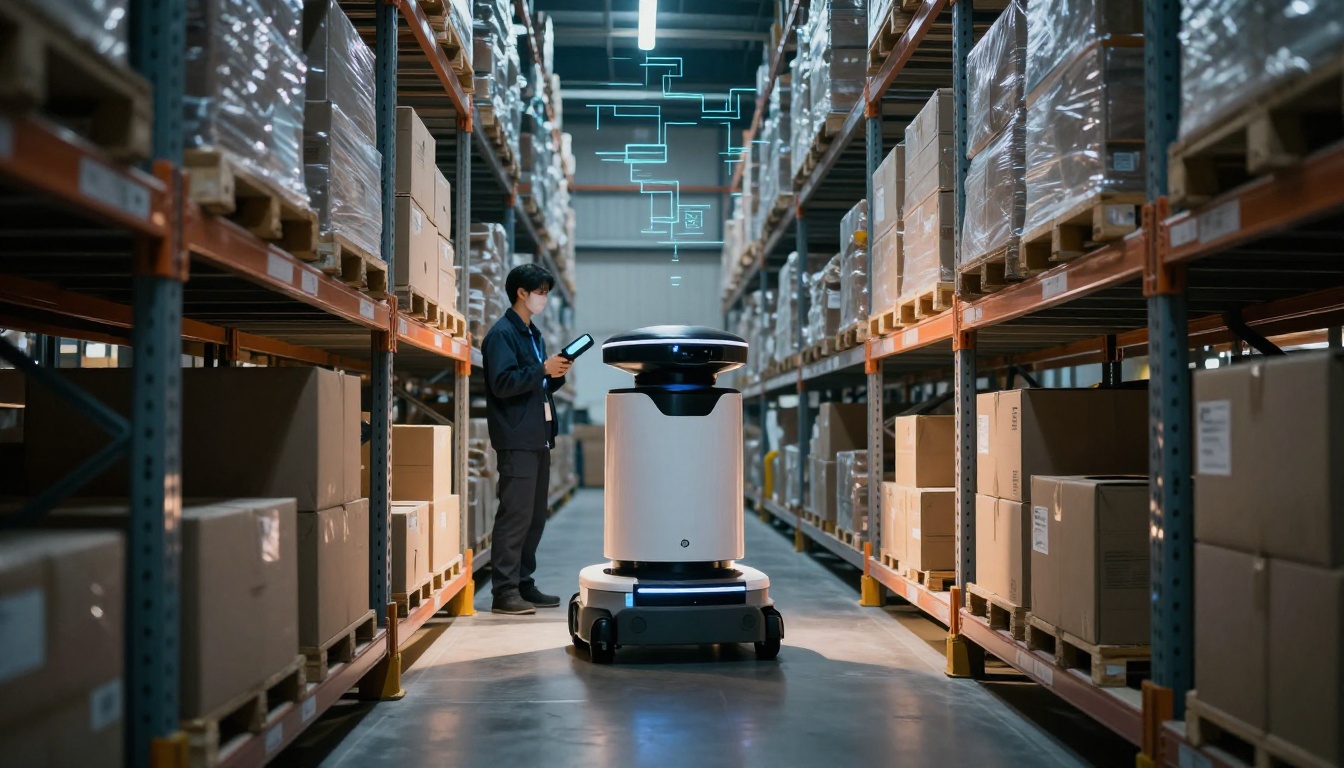
A warehouse can look calm from the dock door, but inside it’s a nonstop puzzle. One missing pallet scan can delay shipping, then the next day it’s “lost” again. When that happens, teams waste time searching, re-counting, and re-picking.
That’s why a warehouse system matters. In plain terms, it’s the mix of software, hardware, processes, and automation that controls inventory from arrival to shipment.
In 2026, more companies are investing in warehouse tech because orders move faster and errors cost more. The U.S. WMS market is growing about 20% per year, and many sites now rely on cloud or hybrid setups to keep pace. Even better, WMS adoption is widespread, with 90%+ of warehouses using WMS or planning to adopt it.
So what actually makes up a working warehouse system? You need the software backbone to run day-to-day tasks. You need physical tools that capture accurate data. You need core processes that guide work from goods in to ships out. And, when it fits, you add automation so the system keeps running when volume spikes.
Next, you’ll see the key components broken down into four practical areas, with real examples of what each one does. You’ll also learn how they connect, because the biggest wins come when the pieces work together.
The Software Backbone That Keeps Everything Running Smoothly
Most warehouses don’t fail because the team is careless. They fail because the system doesn’t match reality. That’s where the warehouse management system (WMS) comes in.
A WMS is software that controls warehouse execution. It assigns tasks, tracks inventory status, and records what happened at each step. Many WMS platforms run as cloud or hybrid systems, which helps teams roll out faster and connect across sites. For a broader view of typical WMS parts, see warehouse management system components.
Think of the WMS like a smart GPS for goods. It doesn’t just “store” inventory. It tells items where to go, how to move next, and what proof to capture along the way.
Real-Time Tracking and Inventory Control
If your inventory isn’t trustworthy, everything slows down. A solid WMS gives real-time inventory tracking, often down to a specific bin location.
Instead of relying on memory or end-of-day counts, the WMS updates stock based on scans or automated reads. Common identification methods include:
- Barcodes for fast scan-and-confirm workflows
- RFID for hands-free checks in specific areas
- Lot or serial tracking for regulated or high-value products
- License plate numbers for pallet and case-level accuracy
This matters because “ghost stock” can happen when items are recorded in the wrong place or at the wrong time. When that happens, teams spend hours trying to find product that looks available on paper.
With real-time control, the system can also warn you early. For example, if a bin drops below a reorder threshold, the WMS can flag it before the next wave of orders hits.
Here’s a simple analogy: inventory without tracking is like a hotel key system that never logs which door it opens. Your front desk might think rooms are full, but guests don’t agree.
To see how warehouses typically structure inventory tracking features, explore Essential Components of a Warehouse Management System (WMS).
Key benefits of real-time tracking include:
- Fewer picking errors because the system confirms location
- Faster cycle counts because you count what needs counting
- Better planning because demand matches actual stock
Inbound and Outbound Operations Made Easy
Warehouses have two big jobs: move products in, then fulfill orders out. A WMS supports both sides.
For inbound, the WMS often manages:
- Receiving tasks (what to scan and where to confirm)
- Quality checks and putaway rules
- Cross-docking flows when items go straight to outbound
- Smart putaway that selects the right storage spot based on rules
Putaway logic might group items by size, speed of access, temperature rules, or shipping priority. It can even account for how much space is available in each zone.
On the outbound side, the WMS helps you pick and pack smarter. Many systems support:
- Wave picking (group orders by timing or truck schedules)
- Batch picking (pick multiple orders efficiently)
- Zone picking (assign sections to reduce travel time)
- Packing processes driven by scans and confirmation
- Shipping label creation and shipment updates
A WMS can also improve task flow. Instead of “go pick item,” it assigns a clear route and sequence. That reduces walking and prevents workers from skipping steps.
So if you’ve ever seen a picker bounce between aisles, you’ll like what a WMS does. It turns chaos into ordered work, one task at a time.
Smart Optimization and Reporting Tools
A WMS isn’t only about execution. It also helps you make decisions that prevent problems later.
Most systems include optimization features like:
- Slotting recommendations (where items should live for faster picking)
- Task management rules (prioritize work based on constraints)
- Kitting (create bundles without manual chaos)
- Returns handling (route items to inspection, restock, or disposal)
- Analytics and reporting (spot bottlenecks and trends)
In other words, your WMS can work like a warehouse “weather report.” It doesn’t stop storms, but it helps you prepare before the rush hits.
Reporting matters because it shows where time goes. Maybe receiving takes too long due to missing scans. Maybe picking slows because of poor slotting. Maybe errors spike during certain shifts.
Many WMS solutions also integrate with other business systems. Common connections include:
- ERP for inventory and financial updates
- TMS for carrier rates and routing
- e-commerce platforms via APIs for order sync
If you want a practical way to think about modules and capabilities, this resource helps: WMS capabilities and modules.
Hardware Essentials: The Physical Tools Your Team Relies On
Software can plan the work, but hardware captures the truth. A warehouse system needs tools that support scanning, labeling, measurement, and monitoring.
Hardware also affects speed. If workers have to walk back to a terminal for every scan, the best WMS in the world can’t help enough.
Scanners, RFID, and Mobile Devices
The most common hardware in a warehouse is the handheld scanner. With barcodes, scanners confirm item identity and location.
In many operations, teams also use RF devices (often paired with RFID tags) for faster reads. RFID can help when you want to check multiple items quickly, especially at receiving or through read points.
Then there are mobile devices, including rugged handhelds and mobile workstations. In 2026, warehouses increasingly want devices that handle more than scanning, like offline task support and better camera capture for damage proof.
For a real example of what modern RFID-capable mobile hardware looks like, check Zebra RFID mobile computers.
Even when the device model changes, the job stays the same. Hardware should help workers:
- Scan and confirm without delays
- Complete tasks on the floor
- Get real-time status updates
Sensors and Vision Systems for Smarter Monitoring
Not every warehouse issue needs manual attention. Sensors and vision systems help you spot problems early.
Common examples include:
- Dock door and yard sensors to confirm arrival status
- Motion or presence sensors to detect traffic near sensitive zones
- Smart cameras to flag damage or incorrect pallet builds
- Weight or scale checks for high-risk items
These tools often plug into the WMS through alerts or event messages. The result is better “dock-to-stock” visibility, where the system can react when something looks off.
If you want a clear way to picture the connection, think of sensors as the warehouse’s eyes. The WMS is the brain that decides what to do next.
Core Processes: From Goods In to Ships Out
A warehouse system is only as strong as the workflow behind it. Processes turn software and hardware into real work.
The best approach is a clear flow from receiving to shipping, with fewer free-form steps. Software guides workers, and scans confirm the right outcome.
Most warehouses follow a structure like this:
- Receiving (scan against the order, confirm quantities, log damage)
- Putaway (store in the right location using rules)
- Storage and inventory control (cycle counts and replenishment)
- Picking (pick by wave, batch, or zone)
- Packing (scan packing steps, confirm labels)
- Shipping (print labels, update shipment status, release to carrier)
- Yard and exceptions (track trucks, manage returns, handle problems)
For a simple reference on core warehouse functions, you may find The 6 Key Warehouse Logistics Functions useful.
Receiving and Putaway Basics
Receiving sets the tone. If receiving is sloppy, the warehouse spends weeks paying for it.
A good receiving process includes:
- Scanning expected items against the purchase order
- Capturing quantity changes (shorts, overages, damages)
- Recording lot or serial info when required
- Performing quality checks before items hit general inventory
- Assigning storage locations immediately
Then comes smart putaway. Instead of tossing pallets into the first open spot, the system assigns the best bin.
Smart placement might depend on:
- Pick frequency (fast movers closer to dispatch)
- Item dimensions (avoid awkward storage)
- Handling rules (fragile items in safer zones)
- Inventory type (quarantine or inspection areas)
Finally, cycle counts keep data clean. With guided cycle counts, the WMS can tell you which bins to check next. That reduces downtime because you count without shutting down operations.
Picking, Packing, and Shipping Steps
Picking is where time shows. It also shows where errors happen.
A WMS supports multiple picking strategies. For example:
- Batch picking groups similar orders.
- Zone picking limits travel for workers.
- Wave picking syncs picking with shipping schedules.
In practice, the system can also guide “smart paths.” That means fewer aisle crossings and more consistent task completion.
Packing is next. During packing, the WMS confirms:
- Correct items for each order
- Correct quantities
- Proper packing materials when required
- Label accuracy before shipping
Finally, shipping updates the system with the outcome. Labels, manifests, and carrier data get attached to the right shipment.
When all of this connects, you don’t just ship faster. You also reduce rework. Fewer “hold for correction” events means smoother daily throughput.
Handling Yards, Returns, and Exceptions
The hardest part of warehouse work often isn’t the normal flow. It’s the exceptions.
Exceptions can include:
- Partial truckloads arriving out of schedule
- Inventory found damaged during receiving
- Orders that require manual inspection
- Returns that need special routing
A strong warehouse system treats yard management as part of the workflow, not an afterthought. It tracks truck status so dock teams can plan resources.
Returns need separate routing rules. The WMS typically decides whether an item goes to:
- Re-stock
- Quarantine/inspection
- Repair
- Scrap or disposal
Worker training also matters here. For rare events, workers need clear “what to do next” steps. If the WMS supports exception flows, it can reduce confusion during stressful moments.
Automation and Trends Powering Next-Level Warehouses
Automation doesn’t replace people in every warehouse. Instead, it handles repetitive movement, supports accuracy, and frees workers for the work that needs judgment.
In 2026, automation keeps spreading, but the best sites focus on coordination, not just hardware.
Robotics and Material Handling Systems
When volumes rise, manual travel becomes a cost. That’s where robotics can help.
Common automation pieces include:
- AMRs (autonomous mobile robots) to move totes or pallets
- Conveyors for fixed routes and faster throughput
- Sortation systems to route packages by destination
- Automated storage for higher-density storage needs
A key point: automation works best when it connects to the WMS. The WMS assigns tasks, and automation handles movement execution. That reduces gaps between planning and reality.
Also, robotics introduces a new kind of “system thinking.” You must manage traffic, staging rules, and charging or maintenance windows. When that planning is solid, automation adds speed without adding chaos.
AI, IoT, and Voice-Guided Tech
The biggest shift in 2026 is how intelligence gets added across the stack.
AI can support:
- Slotting predictions (where items should go)
- Demand forecasting signals for replenishment timing
- Exception spotting (patterns that lead to recurring errors)
- Task planning adjustments when conditions change
IoT adds live signals from the warehouse floor. Instead of waiting for daily reports, the system can show issues in real time. For example, it can alert teams when equipment slows down or a zone sees abnormal movement.
Voice picking and pick-to-light options also continue to grow. They reduce screen time and keep hands free. Workers follow spoken instructions, while the system logs each confirmation.
For a snapshot of AI direction in warehouse logistics, see AI trends for warehouse logistics in 2026.
Future-proofing tips that matter in 2026:
- Choose systems that integrate, not ones that trap your data
- Map exceptions and define rules before you automate
- Make sure every task produces proof through scans or reads
- Train teams on workflows, not just device buttons
Conclusion
A warehouse system is more than racks and forklifts. The strongest setups combine software, hardware, core processes, and automation into one workflow.
When the WMS controls inventory and tasks, hardware captures accurate scans, and processes guide work from receiving to shipping, errors drop and orders move faster. Then automation can remove the repetitive travel and handling that slows teams down.
If you’re looking for your next step, audit one area this week: tracking accuracy, receiving quality, or picking travel time. Then connect it to the supporting components. When the pieces match, the warehouse stops feeling like a scavenger hunt.
What part of your current setup causes the most delays, inventory mismatches, or rework?