
Stockouts can cost a business fast. In 2026, US warehouse stockouts for top items can run $100 to $500 per day, and emergency restocks can add $2,800+ per rush order. Overstock hurts too, because it ties up cash and fills up space you could use.
So how do warehouses keep stock levels accurate without stopping everything? Most use a mix of methods, starting with simple counts and building toward scanning tech, warehouse software, and AI.
With today’s tool stacks (cycle counts plus scanning plus a WMS), many teams push inventory accuracy close to 99% in day-to-day operations. That matters for fewer pick errors, fewer delays, and better customer trust.
Next, let’s walk through the real-world path: traditional counting methods, scanning (barcodes and RFID), software that ties it all together, and the AI trends shaping what’s next.
Manual Methods: The Tried-and-True Basics of Stock Counts
Manual tracking sounds old-school, yet it still works. Teams count items by hand using paper lists or spreadsheets. Then they compare what’s on the shelf to what the system says.
This approach has two big strengths. It’s low cost, and it can catch problems when tech fails. It also builds habits. When people physically count, they spot issues they might miss on a screen.
At the same time, manual counting has obvious limits. It’s slower, and humans make mistakes. Also, full physical inventories often shut down work. That’s why many warehouses switched from “count everything once” to counting smaller sets more often.
A common theme is cycle counting, which breaks inventory into manageable chunks. Here are a few count types teams use:
- ABC cycle counts based on item value and movement
- Random sampling to test accuracy across the warehouse
- Opportunity counts while picks create empty bins
- Location audits to confirm a specific zone or aisle
If you’ve ever heard, “The system says we have it, but the bin is empty,” you already know the pain. Manual checks can fix that mismatch, especially for smaller operations or as a backup plan.
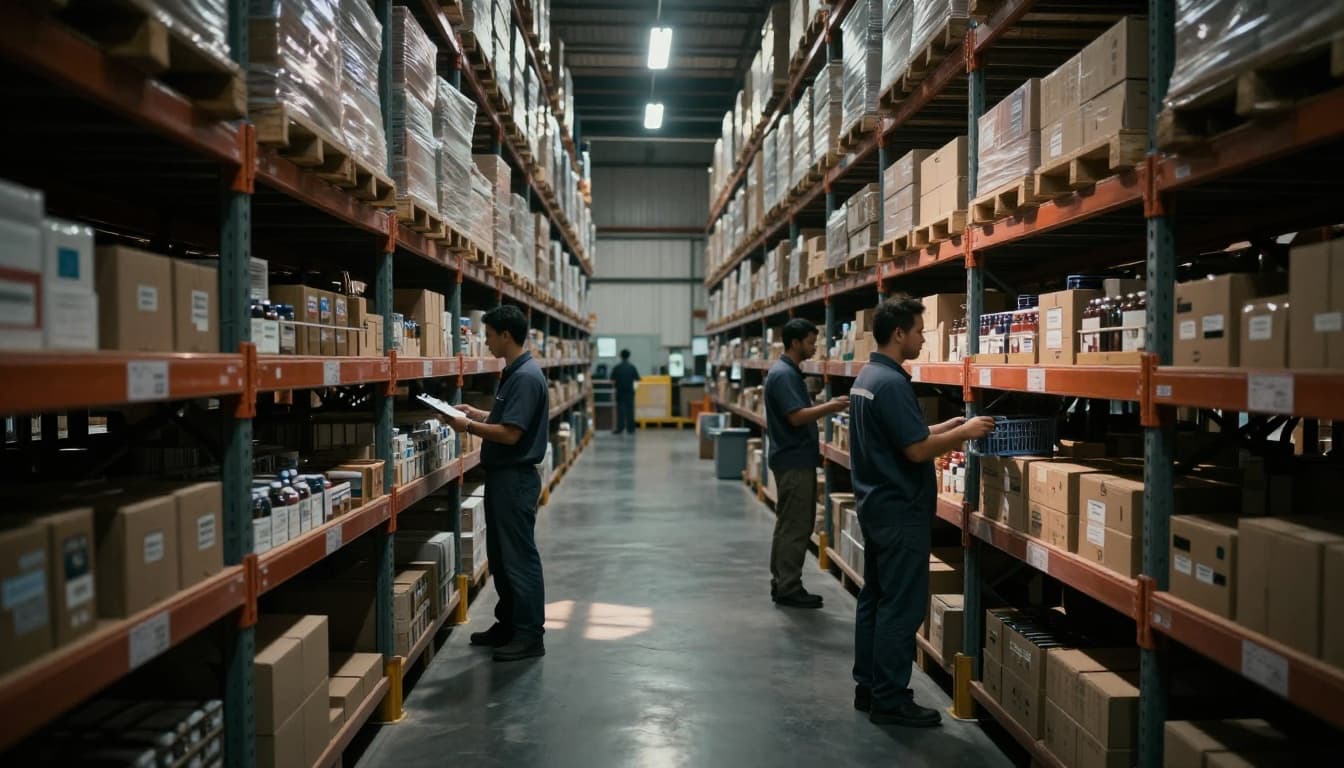
ABC Cycle Counting in Action
ABC cycle counting is one of the most practical upgrades from basic manual counts. The idea is simple: not every SKU needs the same counting pace.
Usually, A items are a small share of SKUs but a big share of value. Teams often count these more often (sometimes daily or weekly). B items get mid-level attention. C items move slower, so counts happen less often.
That keeps workload sane. Also, it targets money. If you’re mostly counting the items customers buy every week, you reduce the most costly stock errors.
Here’s a real-life style example. Imagine an electronics warehouse. Laptops sell steadily, so they sit in the A tier. The team counts laptop inventory often, while chargers and odd accessories might fall into B or C. As a result, the warehouse avoids the worst surprises like “we don’t have the laptop” during a rush.
The best part is operational rhythm. Cycle counting becomes routine. It stops inventory accuracy from living only during big, disruptive counts.
For a helpful walkthrough of how the ABC method works, see Cycle Counting Using the ABC Method.
Smart Tweaks Like Random Sampling
Even strong ABC plans can miss hidden issues. Maybe a supplier keeps changing pack sizes. Maybe items get staged in the wrong location. Maybe a worker consistently mis-scans a location.
That’s where random sampling comes in. A warehouse picks random SKUs or random locations for extra counts. The goal is not perfection on every item. The goal is coverage.
Random checks can also reduce “blind spots.” For example, an aisle might be close to receiving traffic. As a result, more mix-ups happen there than elsewhere.
Another helpful option is opportunity counting. Teams count items when bins get empty during normal work. This makes counting feel less like a separate task. It’s more like “catching updates as you go.”
Both random and opportunity counts work well with small teams. They cause minimal disruption. Still, they keep inventory accuracy from drifting quietly.
And that drift is sneaky. Over time, small errors add up. One wrong transfer location can make the whole order flow slower.
Scanning Tech That Speeds Up Inventory Checks
Manual counts tell you what’s wrong after the fact. Scanning helps you prevent the problem while work happens.
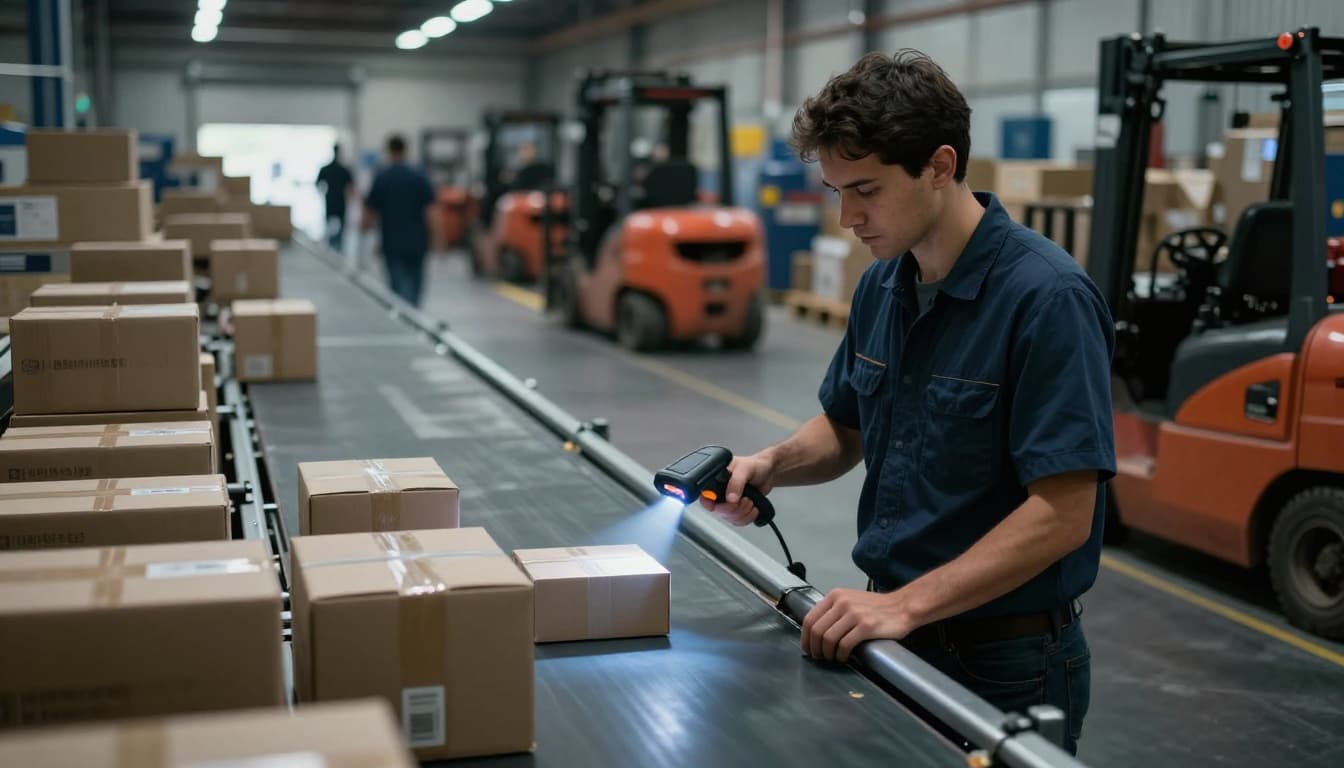
Barcode scanning is common because it’s familiar and cost-friendly. Workers scan items during receiving, picking, packing, and shipping. Each scan updates stock levels in the system (or at least reduces the time before updates flow in).
RFID goes further. Instead of scanning one item at a time, RFID can read tags on multiple items quickly. Also, it doesn’t always need direct line-of-sight. That helps when pallets sit behind other pallets, or when items are moving through a gate.
As a result, scanning tech reduces the “phone tag” between what the system says and what the shelf holds.
You might be wondering, “Is RFID really worth it?” For a direct comparison across tech options, check RFID vs Barcode vs IoT in 2026.
How Barcode Scanners Work Every Day
Barcode scanning is usually built around a few key moments:
First, during receiving, someone scans items to confirm what arrived. Then the WMS can assign put-away locations.
Next, during picking, scanners update inventory right as the picker grabs stock. This matters because it reduces the time window where orders might oversell an item.
After that, during shipping, workers scan outgoing items to confirm what left. This closes the loop.
Most warehouses also use handheld scanners linked to mobile workflows. That means stock updates can show up on screens near real time. If a bin looks wrong, the picker sees it before the order ships.
Barcode scanning also improves accuracy in one more way. It creates a clear audit trail. When something looks off, the team can trace when each scan happened.
However, barcodes only work if labels stay readable. If labels get torn, scuffed, or covered in dust, scans fail. So many sites combine scanning with good labeling rules, plus periodic physical or cycle counts.
RFID’s Edge for Big-Scale Tracking
RFID shines when you need speed and scale. Tags can be attached to pallets, cases, or sometimes individual items.
There are different tag types. Many warehouse rollouts use passive tags, which don’t need a battery. The reader supplies the energy. Some environments use active tags when long-range tracking helps.
RFID readers can scan many tags at once. That cuts the time for tasks like pallet audits or dock door counts. It also reduces labor caused by “one-by-one” scanning.
In a large facility, speed matters. Picture a busy cross-dock. Pallets move fast, and mistakes cost real money. RFID can help the team confirm what’s present without stopping to scan every label.
Also, RFID can improve accuracy in high-traffic zones. Items tucked behind other items still get detected, which lowers the odds of “missing” inventory.
If you’re planning RFID, start with a clear target. For example, many teams begin with pallet-level tracking. Then they expand to cases or item-level tagging when the process proves itself.
Warehouse Software: Real-Time Visibility at Your Fingertips
Manual counts and scanning are useful, but they need a “home base.” That’s where a Warehouse Management System (WMS) comes in.
A WMS tracks inventory from inbound to outbound. It stores item data, current location, and movement history. Then it helps with daily tasks like put-away, picking, and replenishment.
Most WMS tools also provide alerts. If a bin count looks wrong, the system can flag it. If demand rises for a SKU, the WMS can push replenishment tasks earlier.
Many warehouses run cloud-based setups. That gives visibility across sites, not just one office. It also supports better decision-making during peak seasons.
Also, automation adds another layer. Some facilities pair WMS data with conveyor lines or robots. Even when robots handle the movement, the WMS still needs accurate stock levels to plan routes and assignments.
In more advanced setups, warehouses add sensors. For example, IoT tools can monitor temperature or humidity for sensitive goods. Another layer is RTLS, which can help locate equipment and sometimes tagged items with better precision.
One more real benefit: fewer oversells. If orders pull from accurate “available” quantities, customers get what you promised. Same-day shipping gets easier too.
For a deeper look at WMS capabilities, see 15 Top Warehouse Management System Features for 2026.
Core Features of Top WMS Tools
Not all WMS setups feel the same. The best ones support stock tracking in a way that matches how your warehouse works.
Here are common features that matter most:
Real-time dashboards show stock by location. They also reveal aging inventory and exception items. Reorder alerts help teams restock before a bin hits zero.
Lot and serial tracking supports traceability. This is key for industries with recalls or strict compliance. It also helps with FIFO (first in, first out) for products with shelf life.
Auto-FIFO and rule-based replenishment reduce human decisions at the worst time. For example, if you handle food or chemicals, the system can move the right lot first.
Finally, reporting helps teams learn. If a certain SKU causes repeated stock discrepancies, the data points toward the cause.
Even when the warehouse uses scanning and RFID, WMS still decides how inventory gets organized. Without it, scanning updates might not translate into better picks.
IoT and RTLS for Precision Location
Stock levels aren’t the only issue warehouses face. Location accuracy matters too. Items can be in the building but sitting in the wrong spot.
That’s where IoT and RTLS can help.
IoT sensors focus on conditions. For instance, they track temperature and humidity for cold storage or controlled goods. When conditions drift, the system can alert the team fast.
RTLS (real-time location systems) focus on location. Some setups use BLE beacons or other methods to estimate where tagged objects are. That can help with quick searches for misplaced pallets, carts, or bins.
The bigger win is fewer “lost inventory” hours. Instead of calling around the warehouse, teams check location signals. Then they route staff to the right area.
Still, the key remains data quality. RTLS helps only if tags get assigned correctly and updates follow a clean workflow.
When IoT and RTLS connect to the WMS, the warehouse gains a fuller picture. You don’t just know quantity. You also know where inventory sits and whether it stayed in safe conditions.
AI and Trends Shaping Tomorrow’s Warehouses
AI brings stock tracking from “recording” to “predicting.”
Instead of reacting after a bin runs empty, AI can forecast demand. It can also suggest when to reorder based on patterns, seasonality, and supply delays. Then it can run what-if scenarios to plan for changes.
The impact can be big. Forecast improvements can reduce errors, and stockout risk drops when replenishment becomes smarter. In 2026, many warehouses are using AI to support planning and routing decisions.
Automation also continues to grow. Some facilities use robots that scan and move goods while the WMS manages task flow. This reduces manual touches, which lowers mistakes.
Digital twins are another trend. A digital twin creates a virtual model of warehouse operations. Then it helps teams test changes before they spend money in the real building.

If you want a clear explanation of digital twins, start with Warehouse Digital Twins: The Future of Warehousing.
AI’s Role in Predicting Stock Needs
Think of AI like a sharp planner. It looks at past sales and inventory events, then predicts what stock you need next.
However, AI only helps if it uses the right inputs. A good setup connects sales history, order trends, lead times, and inventory movement data. Then it updates plans as new signals arrive.
AI can flag slow movers too. That matters because slow-moving stock increases overstock risk. Also, it ties up cash that could fund faster products.
Here’s a simple example. Suppose a SKU sells well, but shipments tend to delay in late month. AI can spot that pattern. Then it can adjust safety stock or reorder timing before the shortage hits.
In multi-site distribution, AI also supports balancing. Instead of overstocking one location, it can shift stock to where demand is more likely.
The result is tighter stock control. You spend less time fixing shortages after they happen.
Hot 2026 Innovations Like Digital Twins
Digital twins connect the warehouse floor to planning. They let teams simulate changes safely.
A virtual model can test things like new storage layouts, different replenishment rules, or robot routes. Then it predicts how those changes affect throughput and inventory flow.
In 2026, many twin systems also simulate bottlenecks. For example, if inbound flow causes congestion at receiving, the twin can show where delays build up. That helps teams plan labor, dock schedules, and put-away strategies.
Digital twins also help with forecasting quality. Better simulations can reduce guesswork around demand. Some deployments tie improved planning to inventory accuracy close to 99%.
Meanwhile, event data matters too. Modern tracking standards can record what happened, when it happened, and where. That history feeds models and helps them learn faster.
If you’re curious about broader automation directions in 2026, see Warehouse Automation Trends for 2026.
Conclusion
Stock tracking isn’t one tool or one trick. It’s a system that blends cycle counts, scanning, and software, then adds AI as you mature.
Manual methods build accuracy habits. Barcode and RFID scanning reduce day-to-day errors. A WMS ties it all into real-time visibility. AI and digital twins improve forecasts and planning so stock issues show up less often.
Start with what you can do now. If you don’t scan, begin with barcodes plus a solid WMS workflow. If you already scan, tighten cycle counting and clean up data first. Then evaluate RFID and AI when your volume and pain justify the cost.
What part of your inventory process fails most often: the count, the move, or the forecast?